
DISCLAIMER: Read the left Column first before proceeding to the right.
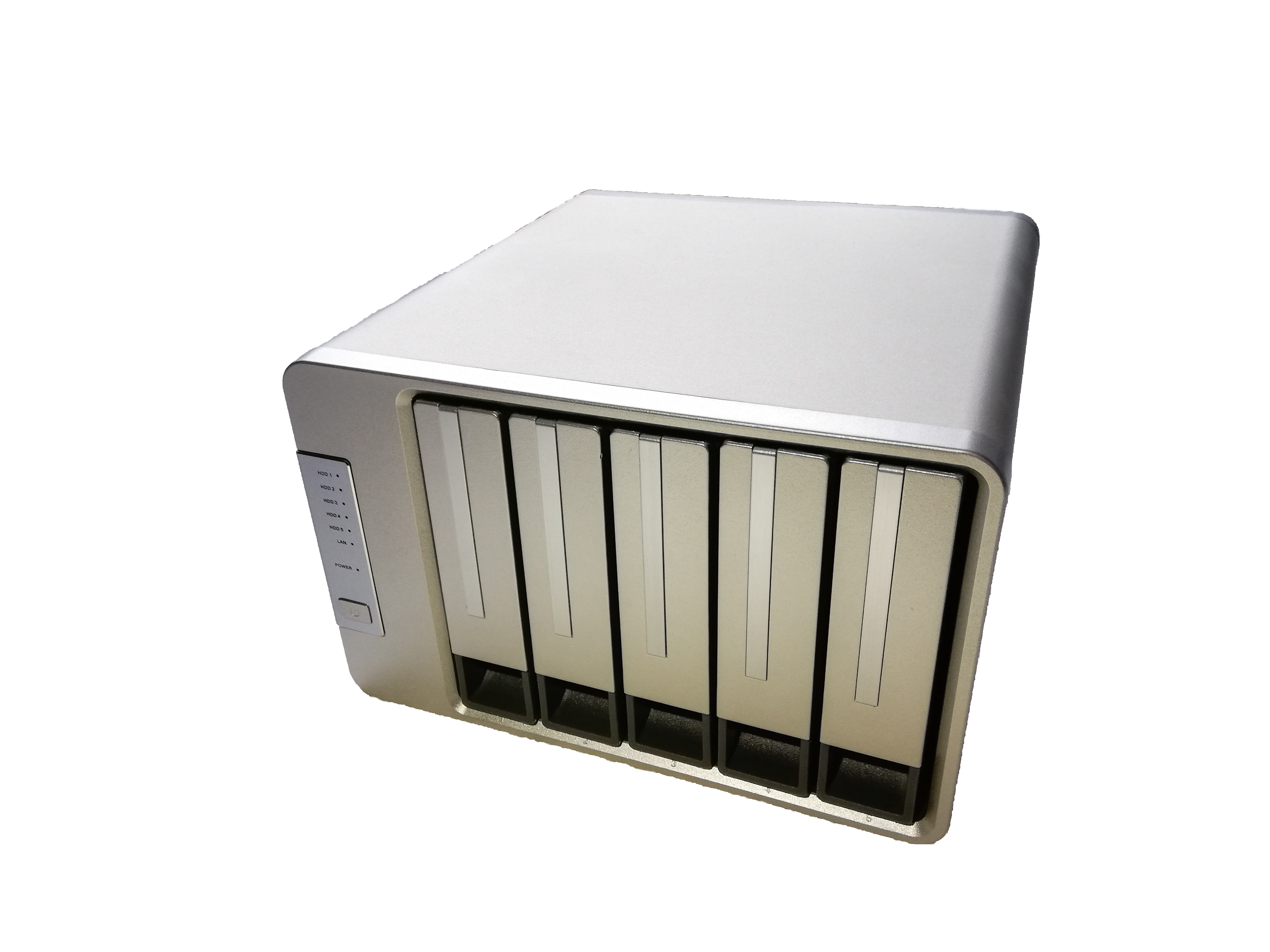
First, I would like to thank TerraMaster for sponsoring the F5-422 for the NAS CAD Review. Getting in touch with their support division was an easy task. Through all my questions and inquiries, the support team was eager to help and went out of their way to ensure their customer satisfaction.
In my search for a NAS system which can handle all the requirements for CAD usage I came across the F5-422 NAS. This NAS from TerraMaster is quite impressive on paper as well and even more so in real life.
Here are some key features which the manufacturer advertises:
- 10Gb LAN port (with another 2x 1GbE RJ45 ports up to 2 Gbps under Link Aggregation)
- Five bays in the same price range as four bays with other manufacturers.
- Up to 80TB in a single unit
- Intel Celeron quad core CPU -1.5GHz
- 4GB DDR4 (upgradable to 8Gb)
- High Performance Hardware with up to 670MB/s (with 6TB x5 IronWolf HDD in RAID 5)
- AES NI hardware encryption
- 4K transcoding
- Supports multiple file services: SMB/CIFS, NFS, AFP, FTP/SFTP, WebDAV, ISCSI
- Extensive backup options
and much more; for a more in-depth overview of the NAS’s capabilities check out this link.
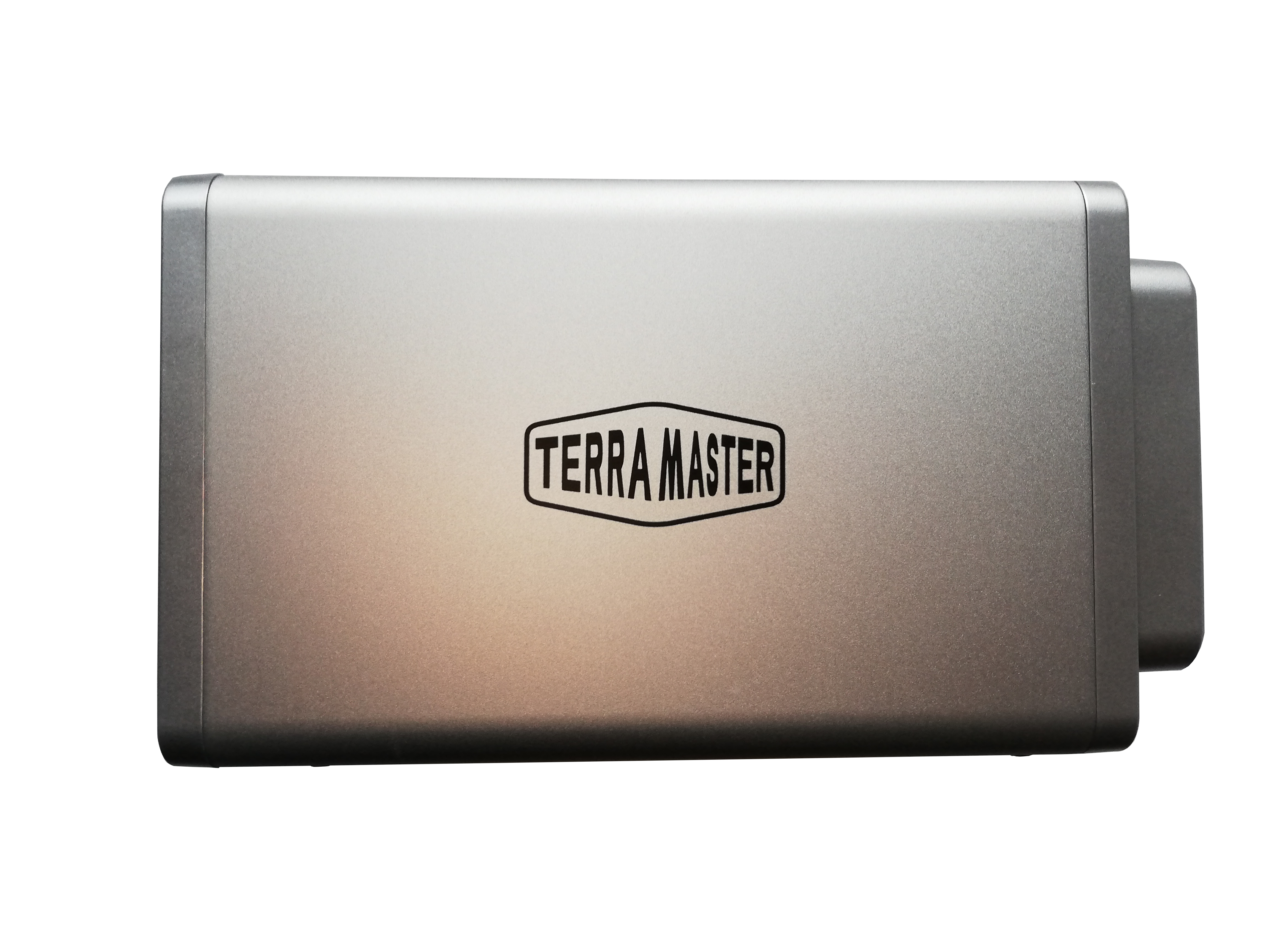
The F5-422 arrives in an eco-friendly box with minimal plastic waste; however, it is still well packaged as to avoid any damage to the NAS itself. With 227 x 225 x 136 mm and roughly 2.kg, this system is small and compact; fitting nicely into the office / home environment by taking up a minimal amount of desk / shelve space. The power supply is included as an external power supply and delivers around 90W at 100-240V AC 50/60HZ. Due to this and the support of many IEEE Standards, the NAS can be used globally without modification. All that is needed is an IEC 60320 C13 appliance connector to the corresponding country wall plug.
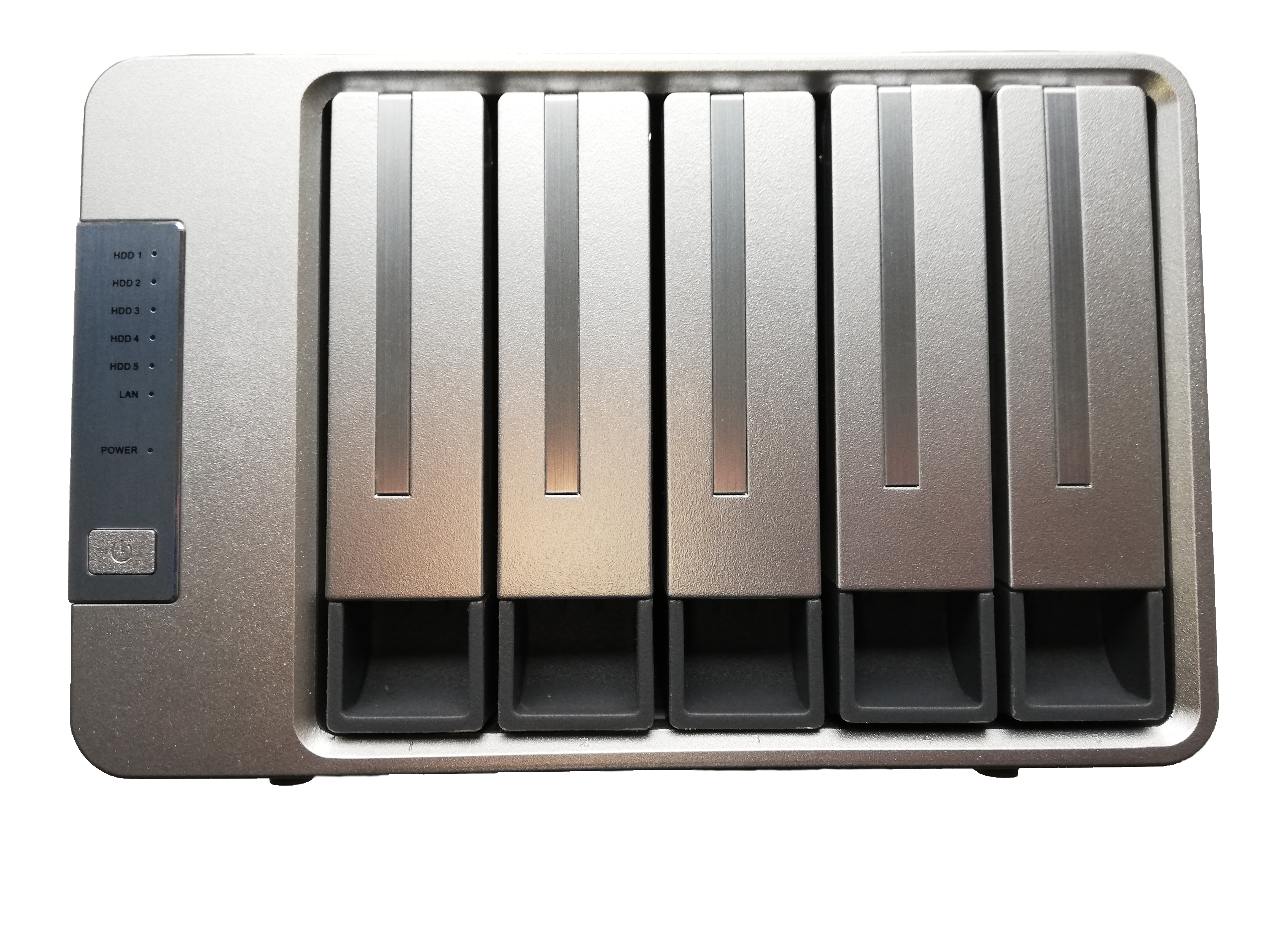
The NAS has a decent quality feel as the chassis is made from sheet metal. The HDD trays, however, reduce the quality feel as they are made from cheap bendable plastic. Furthermore, this five bay NAS does not come with spring loaded trays; still, they can hold either 3.5” or 2.5” HDDs / SSDs. With the storage installed, the tray does not slide smoothly into the locking position. To achieve the proper locking state, one must jig the tray around / back and forth a bit. The cheaper quality of the trays can also be felt by the present rattling during movement and the lack of a locking mechanism to prevent users from removing the trays without proper authorization. This is, however not such a big problem as the NAS will most likely not be touched again after the first initialization and will remain stationary.
The NAS works well with only a single break in the network bandwidth during my three-month testing. On occasion the integrated fan spins up to cool the internal components. This can be reduced by avoiding warm surroundings such as direct sunlight. While cooling, the fan emits a low hum which is minimally audible.
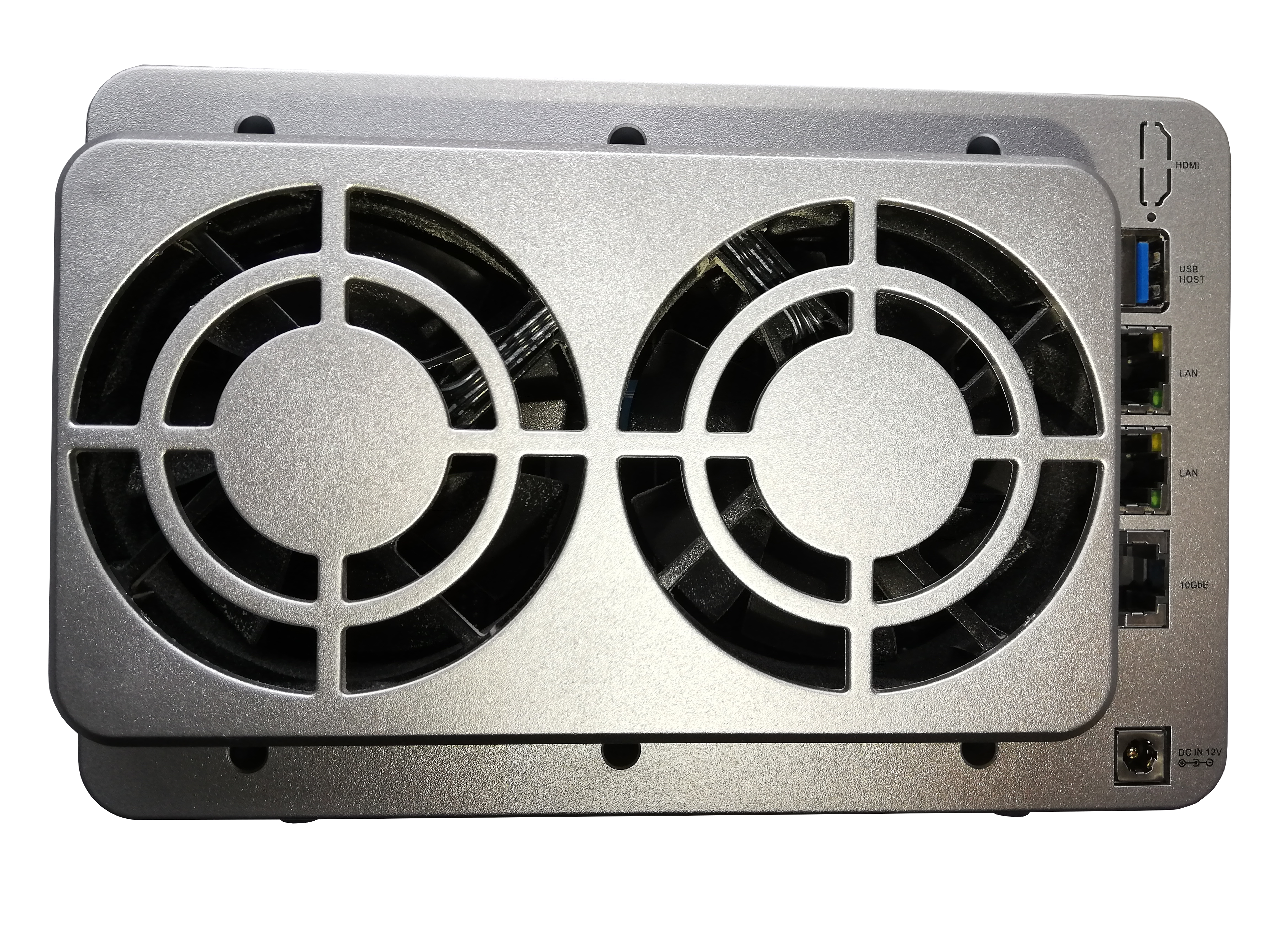
To indicate the status of each network port, the NAS includes two LEDs for each port on the back, as well as a power indicator (LED), LAN LED and one LED for each of the HDD bays on the front of the device. With the LEDs in their ‘on’ state, the two LEDs next to each port (left and right) indicate the network state / configuration speed. The front power LED (solid green) indicates that the device is plugged in and turned on. Above this is the LAN LED which indicates the current operating network state (blinking green when receiving network traffic).
The F5-422 has 1x 10GbE and 2x RJ45 1 GbE network ports, as well as 2x USB 3.0. The NAS also includes a button on the front side to turn it on and off. In the back of the system there are two 80 x 80 x 25 mm fans to provide adequate cooling of the hardware. This is very necessary as according to TerraMaster, the system consumes around 46.6W (read & write).
Right out of the Box the F5-422 works like a charm. It is as simple as plug and play with an intuitive initialization of the NAS which can either be done through a web GUI or APP. The intuitive web-based GUI (Graphis User Interface) for managing the NAS has a very neat and responsive design which delivers a good overview of the NAS’ capabilities. Each setting is fairly easy to find with my only complaint being the lack of a short descriptor of what each setting does. This is only relevant for users with not as much experience with networking / NAS.
In the settings pretty much anything you would need can be configured; whether you want to manage when the fan spins up or at what speed it runs (if you are not happy with the automatic speed scaling based on hardware temperatures) or control the power settings of your system, this can all be done. The configuration possibilities are lacking little; however, their TOS software still requires minor improvement. The software experience is great, but occasionally you will find a feature / function which still has some bugs and is not working the way it was intended. TerraMaster is however constantly working on improving their software, delivering an update the three months I spent testing their system (TOS 4.2.07-2012241608 was tested).
The NAS was tested for different criteria as well as scenarios, all of which it managed very well. The tested scenarios include, but are not limited to the following:
- CAD usage in VM and from an ISCSI drive (conducted with Autodesk’s Inventor Professional )
- Gaming from an ISCSI drive
- Network throughput speed test
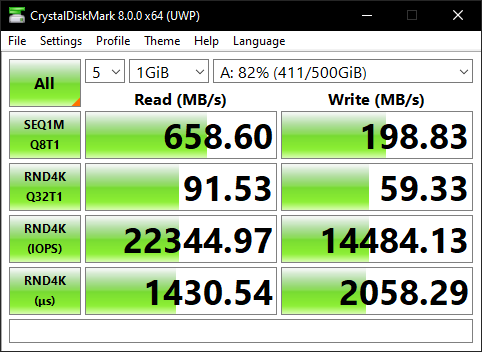
A transfer speed test was conducted with CrystalDiskMark which measured speeds of 198MB/s (write) and 658MB/s (read). This test was also done in a 5-loop setup with a 1Gb load.
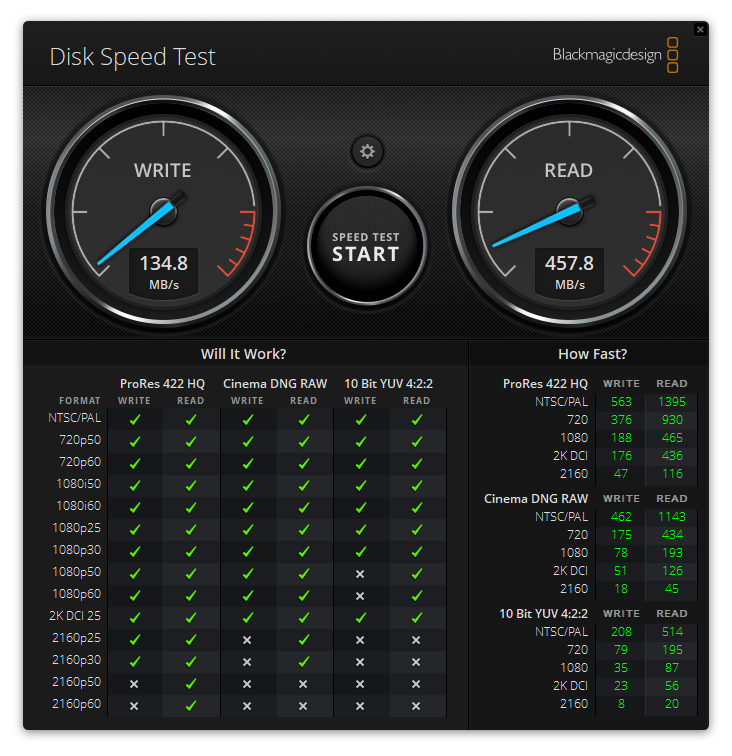
Using Blackmagicdesign Disk Speed Test software which is included in their Blackmagic Desktop Video available here for Windows, MAC OS X and Linux, I was able to reliably reach transfer speeds of 134MB/s (write) and 457MB/s (read) with a 1Gb stress load.
Each test was conducted connected to an ISCSI mounted with a single RJ45 Cat 6 cable (10GbE) and two Seagate Ironwolf NAS HDDs configured in RAID 1. It is clear, that the HDD configuration is the limiting factor for increased speed throughput and not the adapter itself.
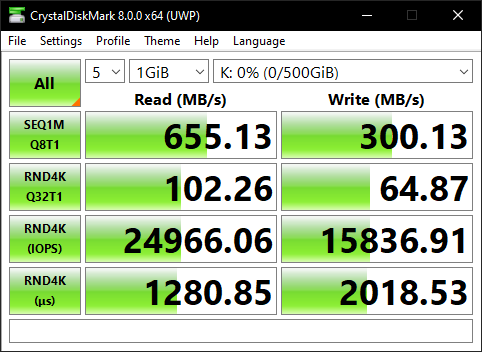
Another transfer speed test was conducted of the ISCSI SSD drive with CrystalDiskMark which measured speeds of 300MB/s (write) and 655MB/s (read). This test was also done in a 5-loop setup with a 1Gb load.
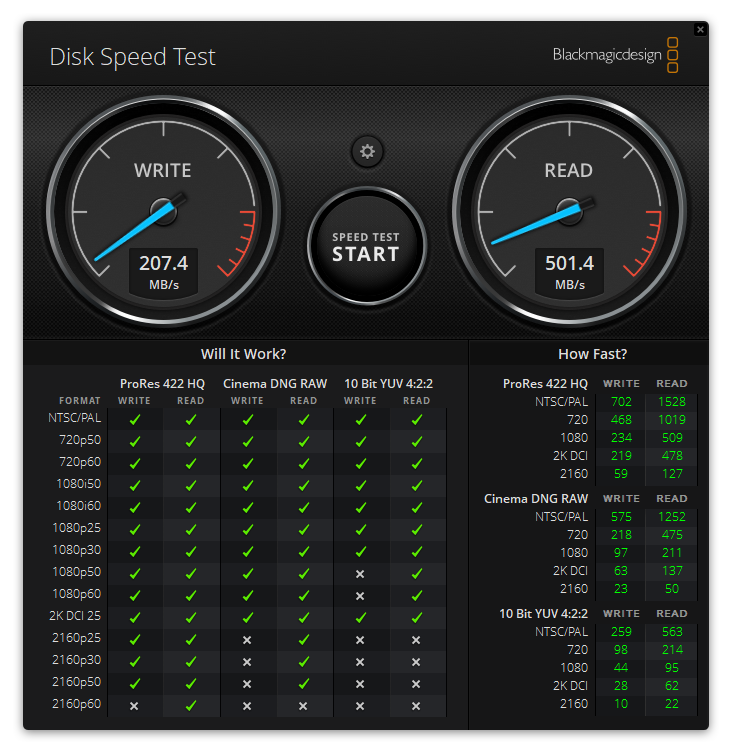
Using Blackmagicdesign Disk Speed Test software which is included in their Blackmagic Desktop Video available here for Windows, MAC OS X and Linux, I was able to reliably reach transfer speeds of 207MB/s (write) and 501MB/s (read) with a 1Gb stress load.
Each test was conducted connected to an ISCSI mounted with a single RJ45 Cat 6 cable (10GbE) and two Samsung 860 Pro SSDs configured in RAID 1. It is clear, that the SSD configuration is the limiting factor for increased speed throughput and not the adapter itself.
Overall, the TerraMaster F5-422 NAS is one of the most cost-effective, powerful solution for increasing your local / server storage capabilities in your home or work environment with 10Gb networking. It is fairly reliable and very easy to configure for your specific desired functionality. This NAS took me by surprise, by holding up to the well-known NAS manufacturers systems. In terms of speed, the F5-422 even blows the competition in it’s price range out of the water with transfer speeds of up to 670 MB/s. I am very happy with this device and can advise other home users or small businesses to purchase this NAS.
For a second opinion and a more in-depth general review of the NAS hardware and software please check out NASCompares.
Pros:
- 10GbE which is affordable
- Good CPU: Intel® Celeron™ J3455 CPU @ 1.5GHz
- RAM upgrade up to 8GB SO-DIMM DDR4
- VM works very well
- Great number of installable APPS
- Basically limitless configuration possibilities with docker, VM, etc.
- Case made from sheet metal
- Tools included for mounting HDDs / upgrading RAM / Cache
Cons:
- No NVMe SSD Cache (loss of 1-2 bays when installing SSD Cache)
- No LED control
- PCIe upgrade not possible
- Software needs further tweaking
- No Lock mechanism for HDD trays
- HDD trays feel cheap
Overall Rating:
Package Contents:
- F5-422 NAS
- AC Power Adapter
- AC Power Cable (EU and China)
- Quick Installation Guide
- 1x Cat 6 RJ45 LAN Cable
- Countersunk Phillips screws for 3.5" drives
- Countersunk Phillips screws for 2.5" drives
- Phillips Screwdriver
- Limited Lifetime Warranty Note
- Labels for HDDs/SSDs
Suggested Improvements:
- Improve TOS software (There are different languages which appear for different settings / buttons / hovering text)
- Enable auto install dependencies for Apps being installed
- Include a short description of the Setting through hovering over the Settings with the mouse pointer
- Add better responsiveness for web GUI (resizing browser / tablet / mobile)
- Enable further customization / configuration (like turning off / scheduling LEDs)
- Improve HDD tray mounts to slide in more smoothly and fit better